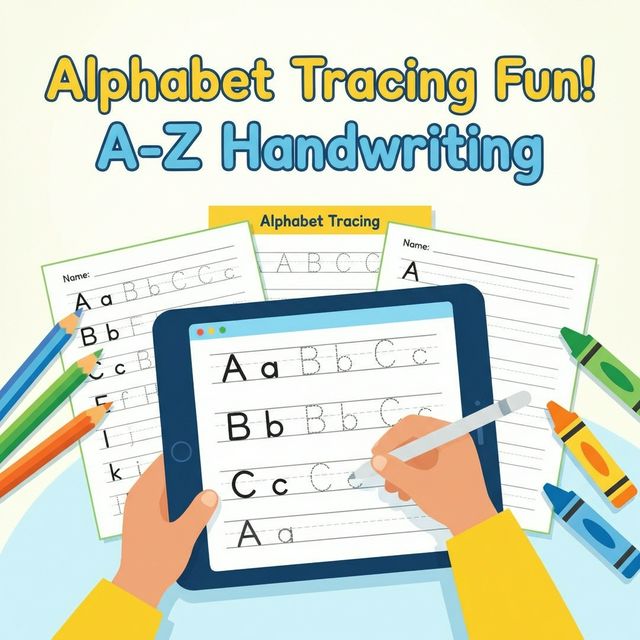
Trace and Write Worksheets
Free Printable Generator for Any Word
Type any word or phrase, set the difficulty level, and generate a print-ready trace-and-write worksheet in under 30 seconds. The KikoPop Trace & Write Generator is free, works offline, and produces dashed vector letters that print crisply at any size.
Trace and write worksheets are the workhorse of early handwriting instruction. The format is simple — a model word set in dashed letters for tracing, followed by blank ruled lines for independent writing — but the value is in customization. A worksheet built around the words from your current reading unit, or the vocabulary from this week's science lesson, or a child's own name, is dramatically more effective than a generic alphabet practice sheet.
The problem has always been production time. Building a custom trace-and-write worksheet from scratch in a word processor is fiddly and slow. Most teachers end up using generic pre-made worksheets because the custom option isn't practical. The KikoPop Trace & Write Generator is built specifically to close that gap.
How the Generator Works
The Trace & Write Generator is a Windows desktop application — it runs locally on your machine without requiring an internet connection after the initial download. The workflow is:
- Type the word, name, or short phrase you want on the worksheet
- Select a difficulty level (Beginning, Standard, or Advanced)
- Optionally upload a coloring scene image to appear above the writing lines
- Click Generate — the worksheet renders as a preview instantly
- Export as a print-ready PDF at 300dpi
The dashed letters are generated as vector paths, not rasterized fonts — they scale cleanly to any print size and the dash spacing adjusts automatically based on letter width. Each letter has a starting dot that shows children where to begin each stroke.
Free: Trace & Write Generator
Generate custom trace-and-write worksheets for any word. 3 difficulty levels, optional coloring scene, print-ready PDF. Windows desktop app.
Download Free (Windows)The Three Difficulty Levels
Beginning level is designed for PreK and early Kindergarten children who are just starting to hold a pencil with intention. Letters are large (approximately 2 inches tall), the dashes are wide with significant space between them, and the starting dot is prominent. The child's task is to connect the dots in sequence — which builds directional stroke awareness before fine motor control is fully developed.
Standard level is the default for most Kindergarten and first-grade use. Letters are medium sized (approximately 1.25 inches tall), standard dashed lines with a clear starting dot. This matches most curriculum handwriting practice expectations and works for the majority of early elementary students.
Advanced level uses smaller letters (approximately 0.75 inches tall) with fine dashed lines and a subtle starting dot. This level is appropriate for children who have mastered Standard and are moving toward independent writing — they still benefit from the model but need less scaffolding.
What Words to Use
The generator works with any text you type — letters, numbers, words, short phrases, and names including names with accents and special characters. Here are the highest-value word sets for different classroom contexts:
Names. A child's own name is the highest-motivation tracing target. Generate one worksheet per student in your class with their name — this takes about 60 seconds per student once you're familiar with the tool. See the Name Tracing guide for more on why names work so well.
Sight words. The Dolch and Fry word lists are the standard targets for early literacy. Trace-and-write worksheets for sight words build both reading recognition and writing muscle memory simultaneously. Generate a new worksheet for each set of words you introduce rather than using the same generic list all year.
Unit vocabulary. When you're teaching a science or social studies unit, generating trace worksheets for the key vocabulary words connects handwriting practice to content learning. A child who has traced "hibernation" three times has a different relationship with that word than one who has only heard it.
Seasonal and holiday words. "Pumpkin," "snowflake," "valentine" — seasonal words that children encounter in their environment and are motivated to write. Easy to generate on demand for holiday-themed activities.
The Coloring Scene Feature
The generator includes an optional coloring scene area at the top of the worksheet. When you upload an image, it appears as a faded coloring guide above the tracing lines — the child can color the scene and trace the word on the same sheet.
This matters because it extends the activity's engagement time and gives the child a finished product to take home. A worksheet that combines coloring and tracing holds attention for 10-15 minutes rather than 3-5. It also makes the worksheet feel less like a drill and more like a creative activity — which affects how willingly children return to it.
Any image works as the coloring scene — a KikoPop character illustration, a simple clipart, a photograph converted to line art. Match the scene image to the word for maximum engagement: a cat scene with the word "cat," a snow scene with the word "winter."
Printing and Laminating
Standard 20lb copy paper works for pencil tracing. For marker or crayon use, 24lb or 32lb paper prevents bleed-through and makes the finished worksheet more durable.
For frequently-used name worksheets or sight word sets you'll use all year, laminate a copy and let children trace with a dry-erase marker. Wipe and repeat — effectively unlimited practice from a single printed sheet. This works particularly well for Beginning level worksheets where children may need 20+ repetitions before a letter form becomes automatic.
Bottom Line
Trace and write worksheets are more effective when they're customized to the child's current vocabulary and experience. The Trace & Write Generator makes customization fast enough to be practical — a worksheet for any word, at any difficulty level, in under a minute. Download it once and you'll have it available whenever you need it, online or off.