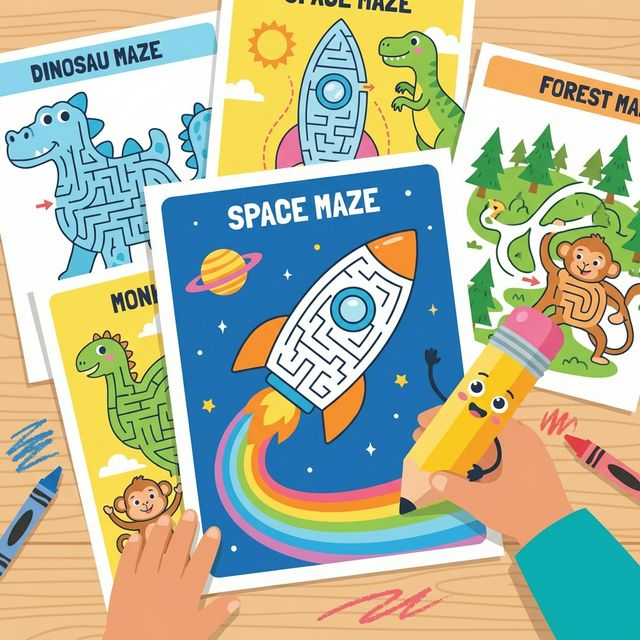
Printable Maze Worksheets for Kids
Free Generator + Instant PDF
Download
Printable mazes are one of the most versatile classroom and activity book tools there is — but every static sheet gets solved and discarded. The KikoPop Maze Generator creates a unique maze every single time, in 7 shapes and 5 difficulty levels, with a solution page included. Free, no account required.
Mazes punch well above their weight as educational activities. They look like pure fun — and they are — but underneath the entertainment they're quietly building spatial reasoning, planning skills, visual tracking, and fine motor control. A child working through a maze is making dozens of small decisions per minute: evaluating paths, predicting dead ends, backtracking when needed, and persisting through frustration toward a goal.
The problem with printable mazes has always been repetition. A child who loves mazes will burn through a static worksheet in two minutes and want another one. Buying maze workbooks helps, but even a 50-page book runs out. And for teachers, finding mazes at the right difficulty level for different children in the same class is its own challenge.
This guide covers what makes a good printable maze, how to match maze difficulty to age and skill, and how to generate unlimited unique mazes in seconds using the free KikoPop Maze Generator.
The Real Benefits of Maze Activities
Mazes develop skills that transfer directly to academic performance — particularly in math and reading. Here's what's actually happening when a child works through a maze:
- Spatial reasoning — visualizing paths through a grid or shape is the same cognitive skill used in geometry, map reading, and pattern recognition.
- Executive function — planning ahead, inhibiting impulsive wrong-turn choices, and holding a goal in working memory while evaluating options.
- Visual tracking — following a path with the eyes (and then the pencil) builds the left-to-right visual tracking that reading requires.
- Fine motor control — staying within the maze paths with a pencil is exactly the kind of controlled movement that supports handwriting development.
- Persistence — hitting a dead end and choosing to backtrack rather than give up is genuine frustration tolerance practice.
Matching Maze Difficulty to Age
The single most important variable in a maze is difficulty calibration. A maze that's too easy is boring in 30 seconds. A maze that's too hard produces frustration and abandonment. Here's the practical breakdown:
| Age | Recommended Difficulty | Path Width | Dead Ends | Shape |
|---|---|---|---|---|
| 3–4 | Easy / Very Easy | Wide — room for a finger to trace | Minimal (2–4) | Square or circle |
| 5–6 | Easy to Medium | Moderate — pencil fits comfortably | Several (5–10) | Square, circle, diamond |
| 7–9 | Medium to Hard | Standard pencil width | Many — some long false paths | Any shape |
| 10+ | Hard / Expert | Narrow — rewards precision | Complex branching paths | Star, hexagon, heart |
Why Maze Shape Matters More Than You Think
Most printable mazes are rectangular grids. They work fine, but they're visually boring — and visual appeal is a real motivator for children who are choosing whether to engage with an activity.
Non-rectangular maze shapes change the experience in meaningful ways beyond just appearance. A circular maze has radial paths that feel completely different to navigate than a grid. A star maze has dramatically different path densities at different parts of the shape — the points are tight and complex, the center is more open — which creates natural variation in difficulty within a single maze.
The KikoPop Maze Generator offers 7 shapes:
- Square — the classic. Great for beginners because paths are predictably grid-based.
- Circle — radial paths create a genuinely different navigation challenge. Excellent for variety after square mazes.
- Diamond — rotated grid, slightly more disorienting than square. Good intermediate step.
- Triangle — limited path options create a focused, solvable challenge. Good for younger children.
- Hexagon — six-sided paths feel genuinely alien to navigate. Excellent for older children who've mastered standard shapes.
- Heart — wildly popular with kids purely on the basis of shape recognition. The irregular boundary creates interesting path constraints.
- Star — the most complex shape boundary. Tight point sections and an open center make for a highly varied experience within one maze.
Free: KikoPop Maze Generator
7 shapes, 5 difficulty levels, custom title and subtitle, solution page included. Exports a 2-page print-ready PDF in seconds. No account required.
Open Maze Generator →The 5 Difficulty Algorithms Explained
The KikoPop Maze Generator uses five different maze-generation algorithms, each of which produces a meaningfully different maze experience — not just more or fewer walls, but a fundamentally different structure that requires different solving strategies.
Easy (Prim's Algorithm): Generates mazes with many short dead ends and a relatively obvious main path. Good for beginners because partial backtracking usually puts you back on the right track quickly.
Medium (Hunt & Kill): Produces longer corridors with more deliberate dead ends. The main path is less obvious and requires more committed choices. Good for children who've outgrown easy mazes but aren't ready for genuinely difficult ones.
Hard, Expert, and Master (Recursive Backtracker at increasing complexity): The recursive backtracker creates mazes with very long winding paths, minimal short dead ends, and a single correct solution that requires following the path for extended stretches. At Expert and Master settings, a wrong turn can send a child down a very long false corridor before hitting the dead end — which is what makes it genuinely challenging.
Why the Solution Page Matters
Every maze exported from the KikoPop generator includes a solution page as the second page of the PDF. This might seem like it defeats the purpose — but the solution page serves three legitimate functions:
For teachers: You can verify your own answer key without solving every maze yourself. For a class of 25 students working on mazes as a timed activity, being able to check quickly matters.
For frustrated children: A child who has genuinely tried and hit a wall benefits more from seeing the solution and understanding where they went wrong than from remaining stuck indefinitely. The goal is skill-building, not arbitrary gatekeeping.
For parents at home: Parents helping a younger child can use the solution page to give hints ("you're going the right way — keep going") without having to solve the maze themselves first.
Classroom Uses Beyond the Obvious
Mazes are most commonly used as early-finisher activities or free-choice time. But there are more intentional uses worth considering:
- Morning work — a maze on every desk when children arrive gives them something to engage with immediately and settles the room before instruction begins.
- Transitions — "finish this maze before we line up" creates a clear, achievable transition task that gives children agency over their own readiness.
- Vocabulary connection — add a vocabulary word as the maze title. "Find your way through the HABITAT maze." The word appears on every print and connects content to the activity.
- Take-home packets — a set of mazes in escalating difficulty makes an excellent take-home packet for weekends or school breaks. Parents appreciate activities that are genuinely engaging rather than rote worksheet drills.
- Activity books — for anyone building printable activity books for KDP or direct sale, a section of themed mazes is one of the easiest high-value sections to assemble. Generate 10–15 unique mazes, export the PDFs, and you have a complete maze chapter.
20 Printable Activity Pages for Kids
Mazes, coloring pages, and trace worksheets — all in one place. Free tools and printable packs for parents and teachers.
Browse All Resources →Printing Tips
A few things that make a real difference in the printed result:
- Print at actual size (100%), never "fit to page." Scaling down compresses the maze paths and makes them harder to navigate with a pencil.
- Black and white is fine — maze lines don't benefit from color and using draft mode saves ink with no quality loss for the maze itself.
- Laminate for repeated use — a laminated maze with dry-erase markers gives a child unlimited attempts on the same sheet, which is useful for children who are still developing the persistence to finish a full maze.
- Print two per page for younger children — an Easy maze at half page size is appropriately sized for 3–4 year olds who don't yet have the attention span for a full-page activity.
The Bottom Line
Printable mazes are one of the highest-value, lowest-cost classroom and activity tools available. The challenge has always been sourcing enough variety at the right difficulty levels without spending money on multiple workbooks or time searching for printables that match what you need.
The KikoPop Maze Generator solves that completely. Every maze is unique, every shape is available at every difficulty level, and every export includes the solution. It runs entirely in the browser — no installation, no account, no cost.
Open the Maze Generator and build your first maze in under a minute.